Stop raid bots and fake accounts before they get in
Gate your Discord server with OAuth member verification. New members prove they're human before they can see or post in any channel — with automatic role assignment and optional alt-account detection. Invite tracking comes built in, at no extra cost.
Install the bot, open Settings → Verification, and toggle it on. Pick verified and unverified roles.
2
New members get a verify link
When someone joins, InviteForge sends a DM or channel message with a unique verification link.
3
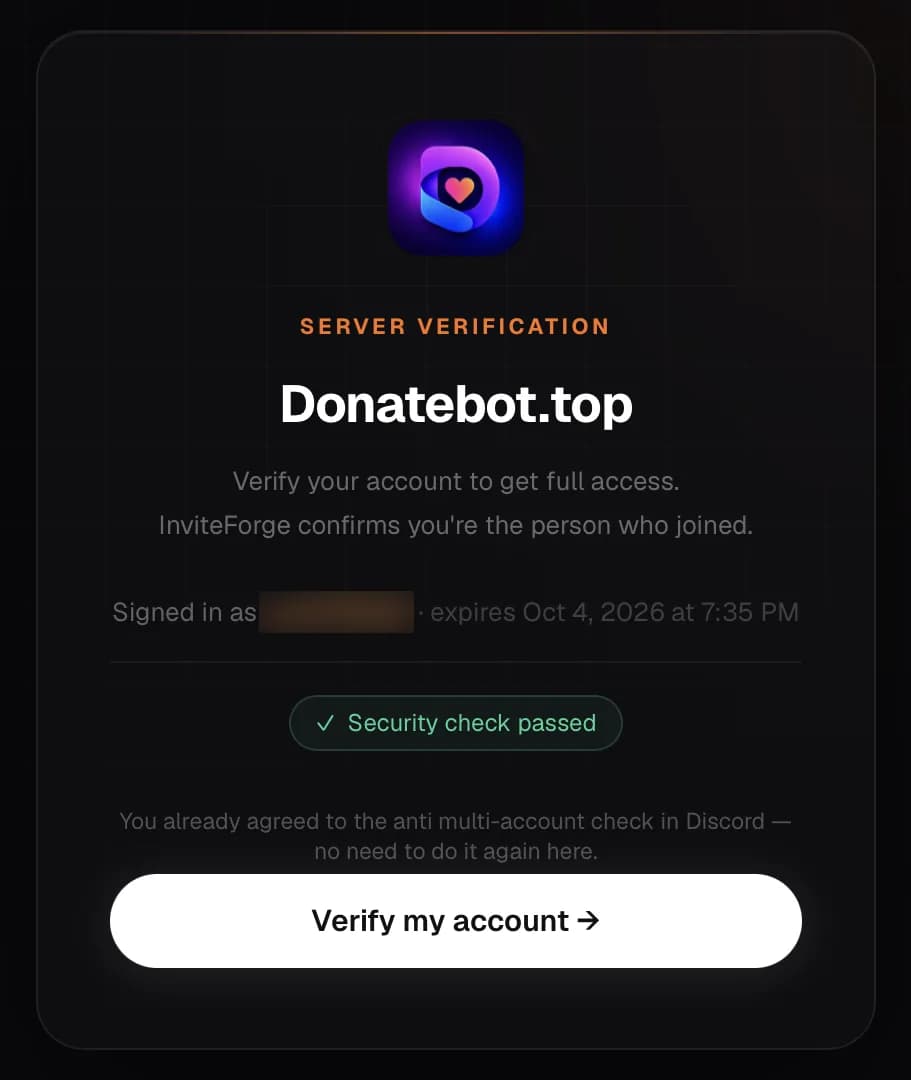
They verify — roles update instantly
After Discord OAuth, the member gets the verified role and full server access automatically.
What a new member sees after opening their verification link (their username is blurred here).
Why servers add verification
Security outcomes that matter for public communities
A verification gate is the baseline for keeping raids and fake accounts out — InviteForge ships that same protection, plus invite attribution on every verified join, so you always know who brought someone in.
Stop raid bots at the door
Unverified members never see general channels. Coordinated joins stall at the gate instead of flooding chat.
Block alt farms before rewards
PRO fingerprint clusters flag same-device alts trying to farm invite roles or giveaways.
Keep invite data honest
Verification pairs with invite tracking so growth competitions measure real humans, not throwaway accounts.
Features
Everything for secure onboarding
Gate access, assign roles automatically, and track who invited each verified member.
verified_user
OAuth member verification
New members verify with Discord — no passwords, no third-party forms. One click from a DM or channel link.
admin_panel_settings
Verified & unverified roles
Automatically assign roles on verify. Lock channels until members complete verification.
fingerprint
Alt account detection (PRO)
Optional privacy-safe device fingerprinting to flag duplicate accounts joining the same server.
shield
Captcha & rate limits
Block automated abuse with invisible captcha and configurable verification timeouts.
link
Branded verify pages
Members land on invite-forge.com/verify with your server icon — professional and trustworthy.
bar_chart
Conversion analytics
See pending, verified, failed, and expired counts. PRO unlocks 7-day funnel analytics.
FAQ
Common questions
How does Discord server verification work?expand_more
Do I need a verification bot for Discord?expand_more
Is Discord member verification free?expand_more
Can InviteForge detect alt accounts?expand_more
Discord verification guides
Setting up a gate, fixing drop-off, or deciding between verification and anti-fake — start here.